

Download Sysygy Image Viewer – photo viewer, image viewer, gallery app, virtual museum, 3D gallery, interactive map, customizable gallery, photo collection, digital museum, immersive experience, personal gallery, photo display, curated exhibition, wall display, interactive gallery
Overview
Sysygy Image Viewer redefines how users interact with their personal photo collections by transforming them into a dynamic, immersive digital exhibition. Designed as a specialized tool for photography enthusiasts and casual users alike, the app enables individuals to visualize their images as if they were displayed in a real museum setting. This unique approach turns everyday snapshots into curated art pieces, fostering a deeper emotional connection with personal memories. The app’s core purpose lies in enhancing the experience of viewing photos—not merely as files, but as meaningful visual narratives. It serves users who value aesthetic presentation and seek a more engaging alternative to standard photo galleries.
Target users include individuals looking to organize their memories in a creative way, hobbyists interested in digital curation, and those who appreciate immersive visual experiences. While the developer, Sysygy Software, is not further detailed in the provided data, the app’s longevity—released in 2009—suggests a stable presence in the mobile ecosystem. Despite its age, the app remains relevant due to its innovative concept. Real-world use cases include displaying family photos in a themed room, organizing travel memories by location, or creating a personal archive for sentimental value. In the broader app landscape, Sysygy Image Viewer fills a niche for users seeking a distinctive, interactive way to enjoy their image collections beyond basic viewing.
Key Features & Functionality
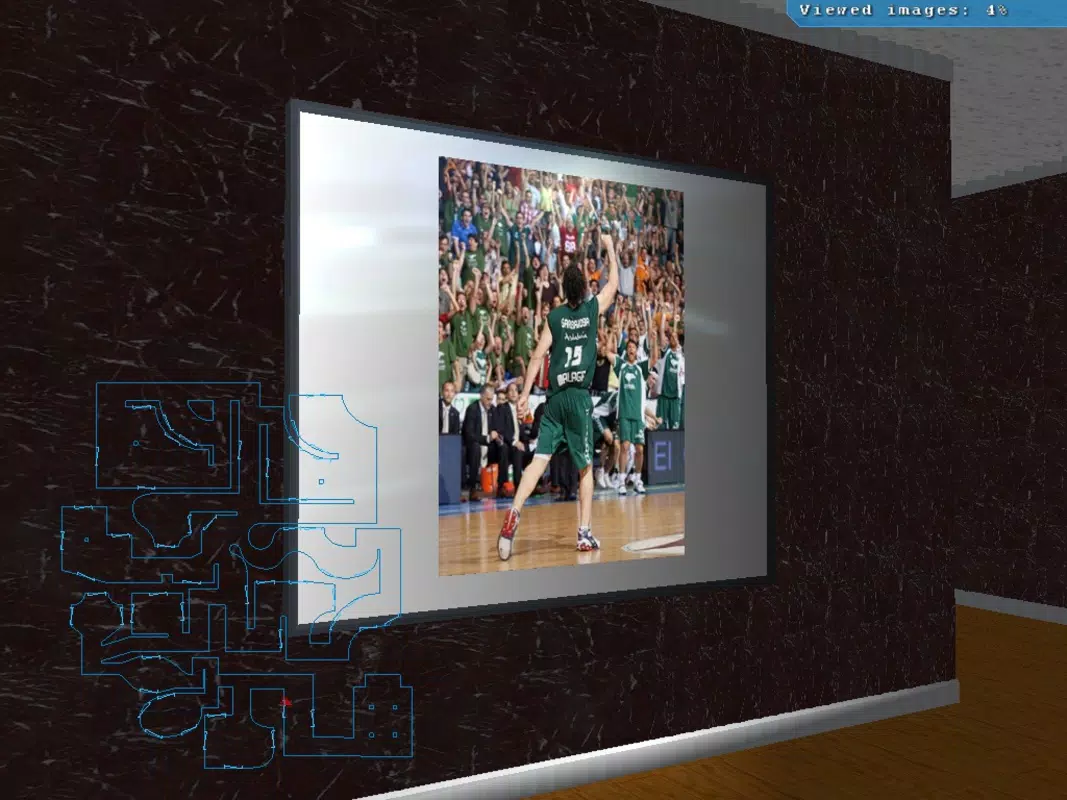
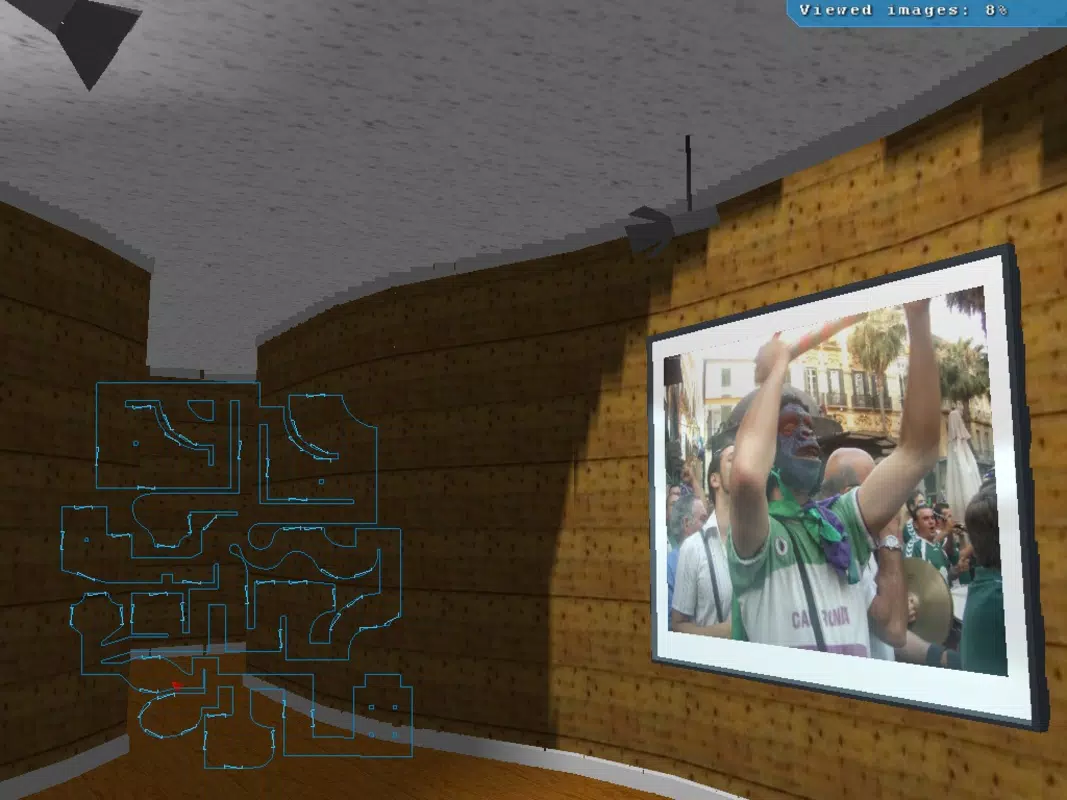
- 3D Gallery Experience: Users can explore their photos within a three-dimensional virtual space, where images are displayed on gallery walls as if in a real museum. This creates a sense of depth and realism, making photo viewing more engaging than traditional grid or slideshow formats.
- Custom Room Placement: The app allows users to assign images to specific rooms within the virtual gallery, enabling thematic organization such as “Vacation 2023,” “Family Moments,” or “Pet Adventures.” This feature supports personalized storytelling through spatial arrangement.
- Interactive Museum Map: An on-screen map helps users navigate between different rooms or zones of the gallery. It enhances discoverability and adds a layer of interactivity, allowing users to jump between sections without retracing steps.
- Personalized Experience: By offering full control over layout, placement, and room design, the app empowers users to craft a private digital museum that reflects their unique style and memory collection.
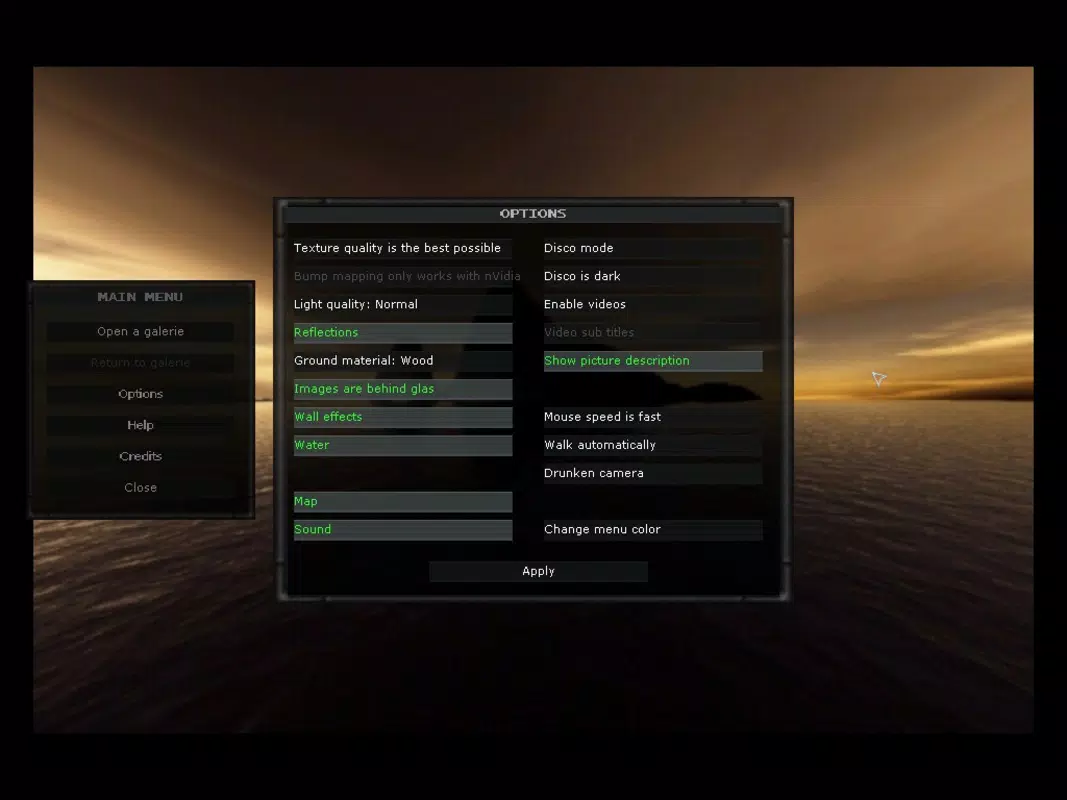
- User-Friendly Interface: The interface is designed to be intuitive, minimizing the learning curve. Even users with limited technical experience can easily create, edit, and explore their galleries without confusion or frustration.
For example, a user could build a gallery where beach vacation photos are placed in a “Tropical Room” with a tropical-themed backdrop, while wedding photos occupy a “Classic Hall” with elegant framing. The app’s functionality supports both casual browsing and deliberate curation, making it suitable for daily use or special occasions like memory-sharing events.
Interface, UX & Performance
The user interface of Sysygy Image Viewer emphasizes simplicity and visual clarity. The layout is centered around a central navigation hub, with rooms and images presented in a clean, uncluttered manner. The visual style leans toward minimalism, allowing photos to remain the focal point without distracting elements. Navigation is intuitive, relying on touch gestures and on-screen buttons to move between rooms and access settings. The interactive map serves as a consistent visual guide, improving spatial orientation within the gallery.
While the developer did not list formal performance metrics, the app’s lightweight size of 4.3 MB suggests efficient resource usage. It is likely optimized for a range of Android devices, including older models. Responsiveness appears to be stable, with smooth transitions between rooms and minimal lag during navigation.
Stability is implied by the app’s continued availability since 2009, though specific crash reports or update frequency were not provided. Users can expect consistent performance across various screen sizes and resolutions, though detailed device compatibility was not disclosed. Overall, the UX design prioritizes accessibility and immersion, aligning with the app’s goal of creating a seamless, museum-like experience.
Platform Compatibility & Technical Requirements
Sysygy Image Viewer is available exclusively on the Android platform. The current version is 1.2, with a file size of 4.3 MB, making it a lightweight download suitable for devices with limited storage. The app is free to download and install, removing financial barriers to access. However, the developer did not specify minimum OS requirements, leaving compatibility with older or newer Android versions uncertain. Similarly, no details were provided about required permissions, hardware features, or background processes.
Although the developer did not list formal performance metrics or device-specific requirements, the app’s long-standing presence on Android suggests it functions on a broad range of devices. Users should ensure their device supports basic Android functionality, including touch input and standard graphics rendering. For optimal performance, it is recommended to use a device with a stable operating system and adequate RAM, though no exact specifications were provided. Compatibility with iOS or other platforms was not mentioned, so users should verify availability through official channels before attempting installation.
Pros and Cons
- Transforms standard photo viewing into an immersive, museum-like experience
- Offers customizable room placement for thematic photo organization
- Includes an interactive map for intuitive navigation
- Lightweight design with minimal storage footprint
- Free to download and use
- User-friendly interface suitable for non-technical users
- Version 1.2 is outdated; no recent updates have been documented
- Compatibility with modern Android versions is unclear
- Developer did not provide technical details or update history
- Limited visual customization options beyond room and placement
- No cloud sync or backup functionality described
- May not support newer image formats or high-resolution files
FAQ
Is Sysygy Image Viewer safe to download and install?
The app is free and available on the Android platform. While no third-party reviews or security audits were provided, its long-standing presence suggests a low risk of malicious behavior. Users should download from official sources to ensure authenticity.
Can I use Sysygy Image Viewer on iOS devices?
Based on the provided information, the app is only available for Android. There is no indication of iOS compatibility or availability on Apple’s App Store.
Does the app support high-resolution images?
The developer did not specify image format or resolution support. However, the app’s lightweight size suggests it may have limitations with very large files. Users are advised to test with their specific image types.
How often is Sysygy Image Viewer updated?
As of the latest version (1.2), no recent updates have been documented. The developer did not provide a release history or update frequency, so users should expect limited or no future improvements.
Can I share my virtual gallery with others?
There is no information on sharing features or export options. The gallery remains a private, local experience unless manually shared via screenshots or file transfers.
Final Thoughts + CTA
Sysygy Image Viewer stands out in the crowded field of photo apps by offering a distinctive, immersive experience that elevates personal memories into curated exhibitions. While its age and lack of recent updates are notable limitations, the app’s core concept remains compelling—transforming photo viewing into an interactive, spatial journey. Its lightweight design, free access, and intuitive interface make it accessible to a wide audience, especially those who value creativity and emotional engagement with their digital content.
Although modern alternatives may offer more advanced features, Sysygy Image Viewer continues to serve as a niche tool for users seeking a unique way to organize and enjoy their photo collections. It is particularly valuable for individuals who enjoy storytelling through visuals, family historians, or anyone who wants to give their memories a more artistic presentation.
For those looking to experience their photos in a new dimension—beyond the standard grid or slideshow—this app delivers a memorable, personalized journey. Download Sysygy Image Viewer now.


